 Mo
Mo Help › Getting started
Keep your data safe
Your books stay on your own computer. These tools protect them from loss, from mistakes and from other people.
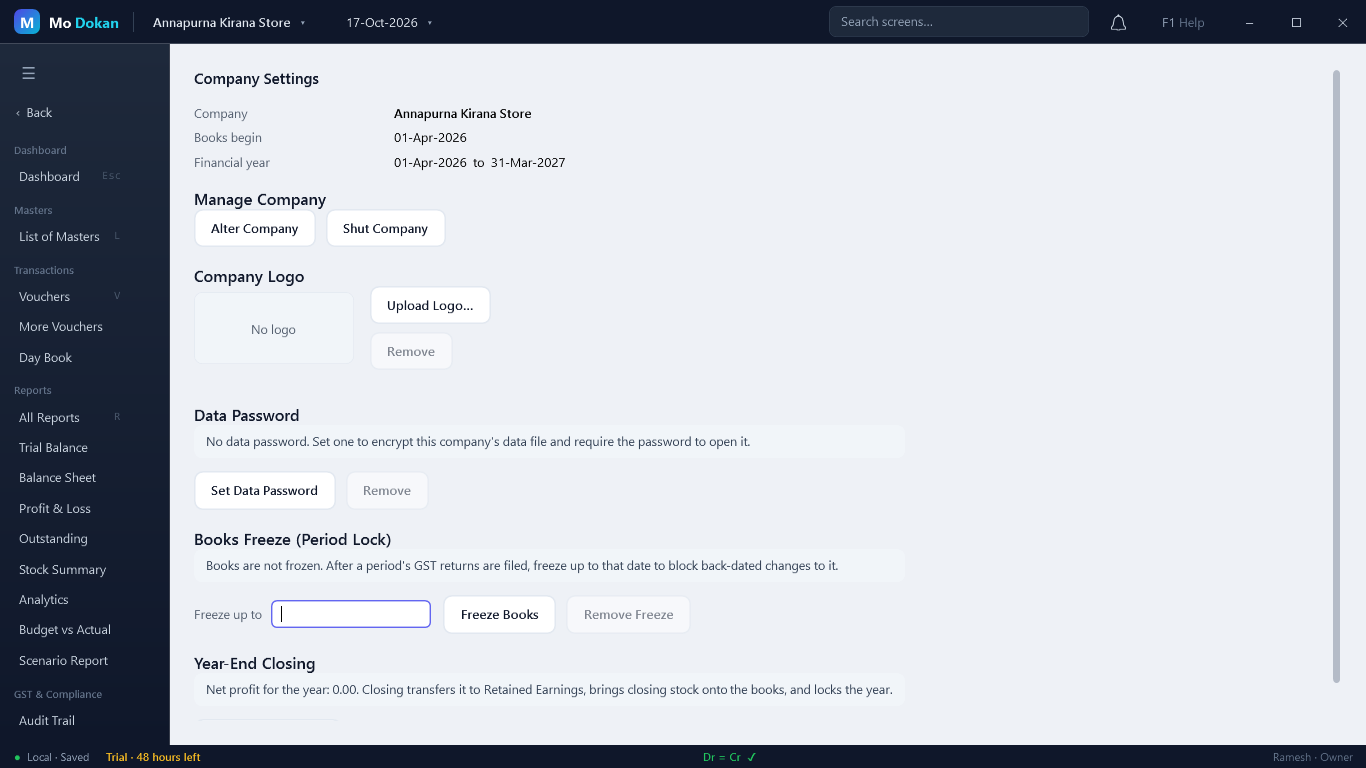
Data password
Administration → Company Settings → Set Data Password. The company's file is then fully encrypted, and the password is asked every time the company is opened or restored.
Keep it safeWithout the data password the company cannot be opened — not by you, and not by us. Write it down and keep it somewhere safe.
To remove it: Remove, then type the current password.
Books freeze (period lock)
After you file a period's GST returns, freeze the books up to that date so nothing in it changes by accident.
- Company Settings → Freeze up to: type the date, then Freeze Books.
- No voucher dated on or before that day can be entered, changed, cancelled or deleted.
RuleOnly the Owner can freeze, move the date back or Remove Freeze.
Users and roles
Administration → Users (Owner only). Give each person their own user and role:
| Role | Can do |
|---|---|
| Owner | Everything, including users, the books freeze and Web Access. |
| Accountant | Day-to-day books, masters and reports. |
| Data Entry | Voucher entry only. |
| Viewer | Reports and books; cannot enter anything. |
A user's password must be at least 8 characters. A password is also what lets that user sign in to Web Access from a phone — a user without one cannot sign in from a browser.
What Mo Dokan does by itself
- Saves at once. Every voucher and master is written the moment you accept it.
- Backs up the open company every few hours and when you quit.
- Survives power cuts. If Mo Dokan was not closed properly, the next open checks the whole company first.
- Asks before closing and names any half-entered voucher.
- Keeps the books balanced. The status bar shows Dr = Cr; a voucher that does not balance cannot be saved.
- Backs up before every upgrade to a new version.